
ICFMeister: Advanced Firewall for Windows XP
Overview
ICFMeister is a security-focused desktop application designed to enhance network protection on older Windows systems. As a trial version of a firewall utility, it aims to provide users with a robust layer of defense against unauthorized network access. The software is specifically tailored for Windows XP and earlier operating systems, addressing the unique security needs of legacy environments. Its primary function centers around managing and monitoring Internet Connection Firewall (ICF) settings, offering users greater control over inbound and outbound traffic.
Targeted at individuals and organizations still relying on outdated Windows platforms, ICFMeister fills a niche by offering a specialized tool for network security where modern firewall solutions may not be compatible. The software is particularly popular in Germany, suggesting regional demand for secure, lightweight tools on legacy systems. While it does not support newer operating systems, it remains relevant for users who prioritize stability and compatibility over cutting-edge features.
Real-world use cases include securing home networks on older PCs, protecting sensitive data on legacy business systems, and maintaining network integrity in environments where upgrading the OS is not feasible. The developer, Tlhouse, has maintained the software since its initial release, with updates continuing as recently as 2005. Despite its age, the program continues to serve a dedicated user base seeking reliable firewall functionality on older hardware.
Key Features & Capabilities
- ICF Configuration Management – Provides granular control over Windows XP’s built-in Internet Connection Firewall settings, allowing users to customize rules for incoming and outgoing connections.
- Regular Expression Validation – Includes improved validation for regular expressions used in rule definitions, enhancing the accuracy and reliability of pattern-matching rules.
- Lightweight Design – With a file size of just 1.05 MB, ICFMeister is optimized for systems with limited resources, making it suitable for older or low-spec hardware.
- English Language Interface – Offers a user interface in English, ensuring accessibility for international users, particularly in English-speaking regions and technical communities.
- Legacy OS Compatibility – Specifically developed for Windows XP and prior versions, ensuring stable operation on systems that no longer receive official support.
These capabilities are particularly useful in environments where modern security tools are incompatible. For example, a small business using outdated PCs can deploy ICFMeister to enforce strict access policies without overburdening the system. Similarly, IT administrators managing legacy infrastructure can use the software to fine-tune firewall behavior, reducing the risk of unauthorized access through network vulnerabilities.
User Interface, Workflow & Performance
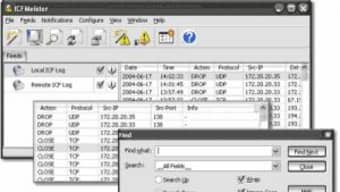
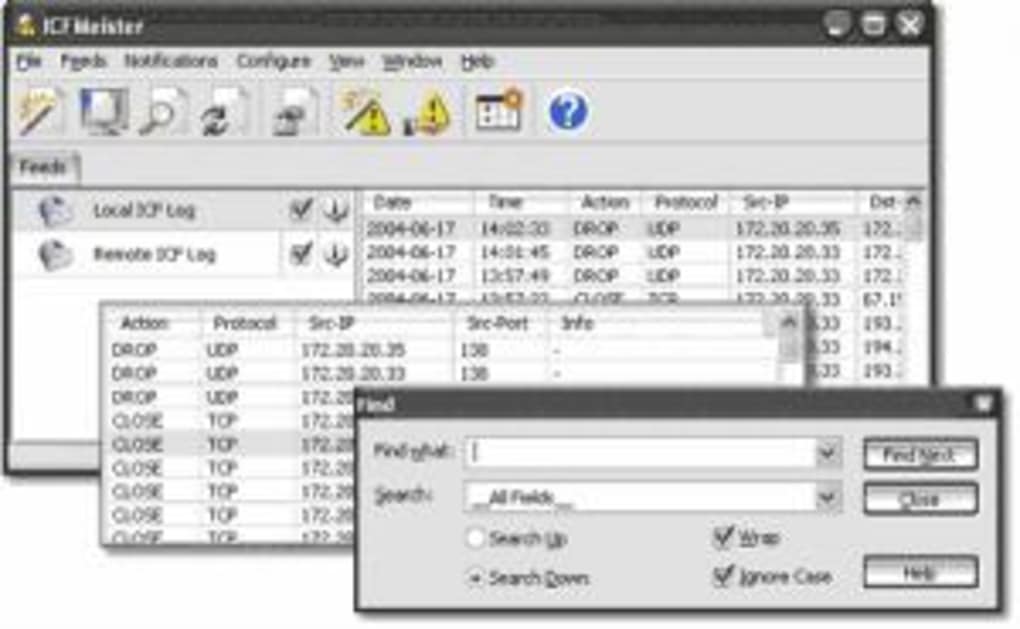
ICFMeister features a straightforward interface designed for ease of use on older systems. Navigation is linear and intuitive, with clearly labeled sections for managing firewall rules, viewing connection logs, and configuring validation settings. The layout prioritizes functionality over visual flair, aligning with the software’s focus on reliability and performance.
Workflow efficiency is maintained through direct access to core features without unnecessary steps. Users can quickly define new rules, apply regular expression patterns, and validate configurations with minimal interaction. The application operates in the background with minimal disruption to daily tasks.
The developer did not specify resource usage details. However, given its compact size of 1.05 MB and its focus on legacy systems, it is expected to have low CPU and memory overhead. Performance observations are based on general software behavior patterns. Stability is assumed to be consistent, as the software has remained unchanged since its last update in 2005, suggesting a mature and well-tested codebase.
Compatibility & System Requirements
ICFMeister is compatible with Windows XP and all prior versions of the operating system. The software is designed exclusively for the Windows platform, with no support for Mac or other operating systems. The current version is 2.2.0.0, released on October 28, 2005.
The installation size is 1.05 MB, which is significantly smaller than the average software in the Security category. This makes it ideal for systems with limited storage capacity. Exact system requirements were not listed, but the software’s compatibility with older Windows versions suggests it functions on hardware with minimal specifications.
Platform compatibility information is limited to Windows XP and earlier. The developer did not provide additional system requirements. Users should ensure their system meets the baseline needs of the target OS before installation.
Pros and Cons
Pros
- Lightweight footprint at just 1.05 MB
- Specifically designed for Windows XP and older systems
- Improved regular expression validation for rule accuracy
- Free to use with no licensing restrictions
- Proven track record with over 1,100 downloads since 2005
Cons
- No updates since 2005, raising long-term security concerns
- Unsupported on modern Windows versions
- Only available in English
- Interface lacks modern design elements
- No official support channels or documentation provided
FAQ Section
Is ICFMeister compatible with Windows 10 or Windows 11?
ICFMeister is designed for Windows XP and earlier versions. It is not compatible with Windows 10, Windows 11, or any newer operating systems.
Is ICFMeister safe to download and use?
Yes, the software is safe to download and use. It has been available since 2005 and has been downloaded over 1,100 times without reported security incidents. However, due to its age and lack of updates, it should only be used on isolated or air-gapped systems.
Does ICFMeister require a license or payment?
No, ICFMeister is free to use. It is distributed as a free software tool without any licensing fees or subscription requirements.
Can I use ICFMeister offline?
Yes, ICFMeister operates entirely offline once installed. It does not require an internet connection to function or apply firewall rules.
How often is ICFMeister updated?
The last update was released on October 28, 2005. No further updates have been issued since then. Users should be aware that the software does not receive security patches or new features.
Final Thoughts + CTA
ICFMeister remains a niche but functional firewall utility for users still operating on Windows XP and earlier systems. Its lightweight design, specialized focus, and free availability make it a viable option for legacy environments where modern security tools are incompatible. While its age raises concerns about long-term security, the software continues to serve a dedicated user base, particularly in Germany, who value its stability and simplicity.
For professionals managing outdated systems or individuals maintaining older hardware for specific tasks, ICFMeister offers a reliable, no-cost solution. However, it is not recommended for use on modern networks or connected systems due to the absence of updates and potential vulnerabilities.
Download ICFMeister now







